The offer is too broad
Define one buyer, one problem, and one clear reason to choose the product.
Today's fix: Write: This product helps [buyer] achieve [outcome] without [objection].
Free Shopify launch checklist for beginners
Use a practical day-by-day checklist for choosing one product, building a trustworthy store, testing checkout, and attracting your first targeted visitors. No coding and no income promises.
Have a product and time this week? Open the trial. Still deciding what to sell? Start with the checklist.
Affiliate link — commission at no extra cost to you. Full disclosure.
Independent guide. Not owned by Shopify.
Checklist is free. No email wall to read it.
Updated 29 Aug 2026 by Jack. Clear disclosures beside affiliate links.
Written by
Independent Shopify guide for beginners. No courses, no fake income claims.
About this site
Get Your First Sale is an independent beginner resource built to replace vague Shopify advice with a practical launch sequence: one offer, a trustworthy store, a tested checkout, and a small traffic experiment. No fake testimonials, no income promises—just a clearer next step each day.
Questions: getyourfirstsale@gmail.com. Need the store built for you? Paid store setup ($149).
Stores stall when one step is missing: offer, store, checkout, trust, or traffic.
Most stalls are a missing step, not a missing course.
Define one buyer, one problem, and one clear reason to choose the product.
Today's fix: Write: This product helps [buyer] achieve [outcome] without [objection].
Theme tweaks feel productive, but they do not create customer feedback.
Today's fix: Publish when the offer, delivery details, contact page, and checkout work.
A functioning store cannot convert visitors who never arrive.
Today's fix: Choose one channel and identify your first 25 relevant people or searches.
Another course only helps when it produces a visible store improvement.
Today's fix: For every 30 minutes of learning, complete one practical store task.
Without an order of operations, every problem feels equally urgent.
Today's fix: Work in order: offer, product page, checkout, trust, traffic, analytics.
Main checklist
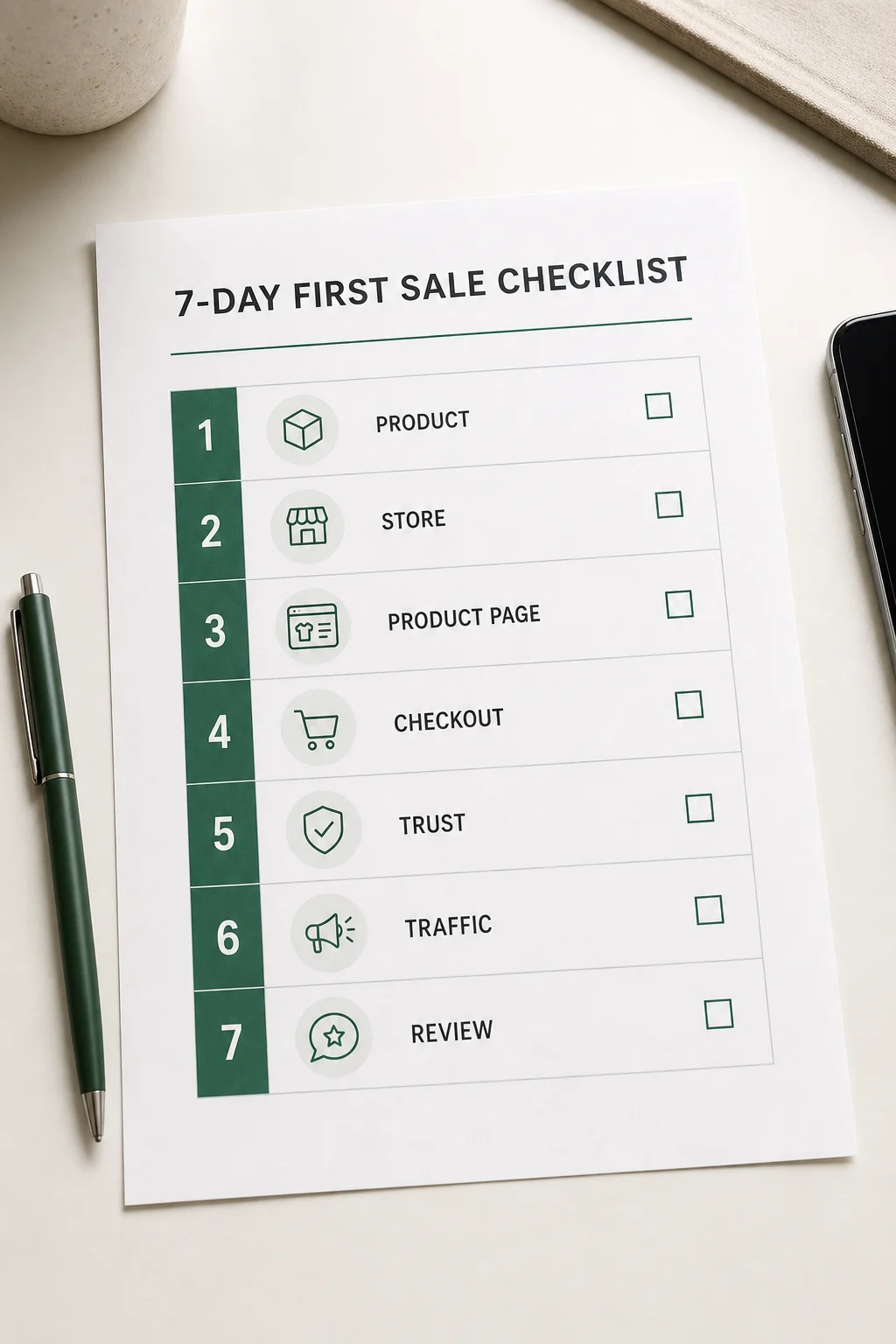
Each day has one job. Keep the first version narrow, publish before you feel completely ready, and let real visitors show you what to improve.

Choose one audience, one problem, and one simple offer you can explain in a sentence.
Start the trial, pick a clean theme, and avoid redesigning before you have visitors.
Write clear product copy, add realistic photos, and explain who it is for.
Make the checkout trustworthy and remove basic reasons people hesitate.
Check mobile, test payment flow, and make contact, returns, and delivery details easy to find.
Ask for useful feedback and early traffic without pretending you are already a big brand.
Send targeted visitors, review behavior, and improve your offer based on evidence.
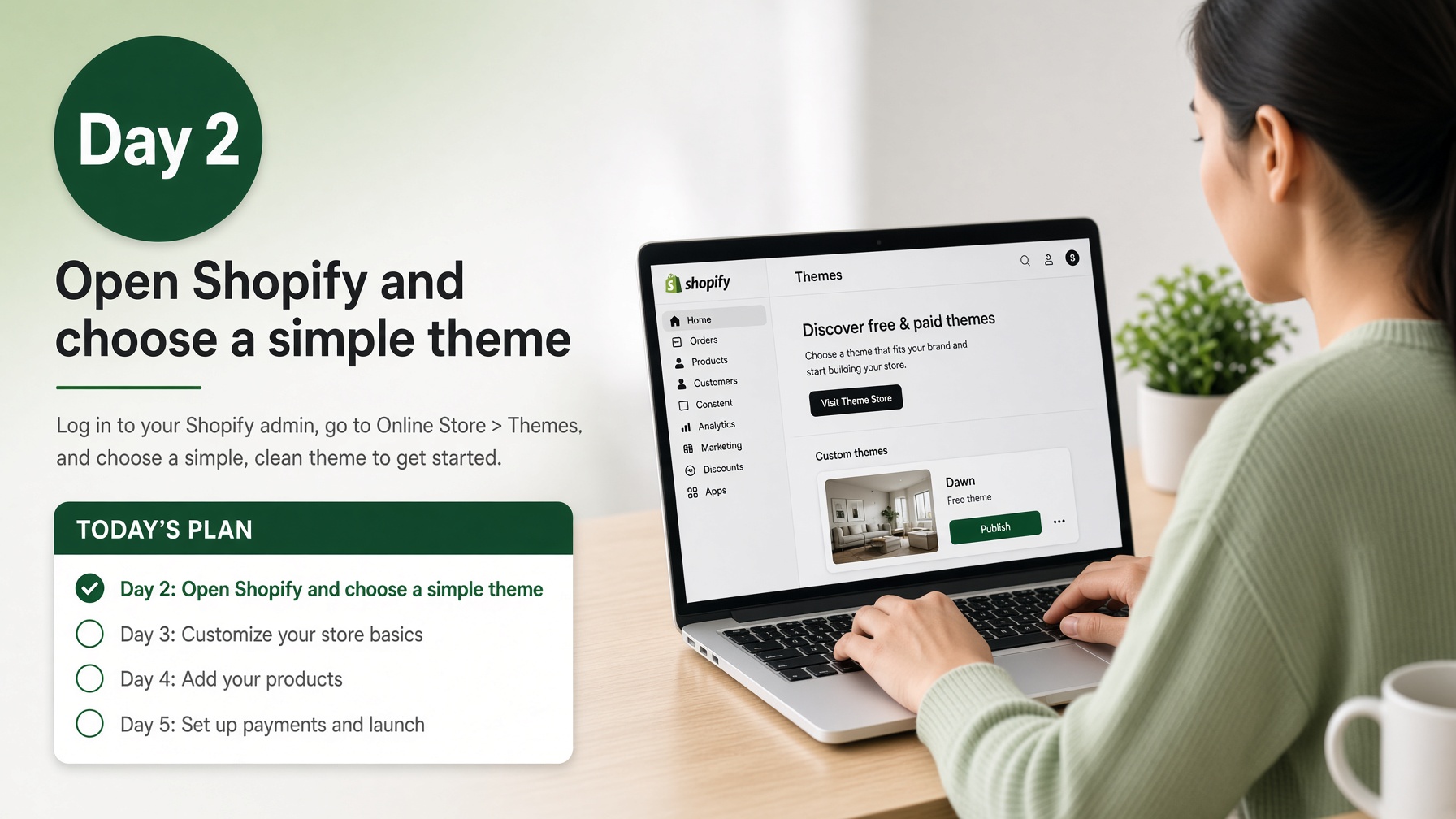
Day 2 · highest-intent step
Open Shopify, pick a simple theme (Dawn), and stop redesigning before you have visitors.
Affiliate link — commission at no extra cost to you. Full disclosure.
Open the complete checklistPrefer a one-screen version? Open /startProduct page example
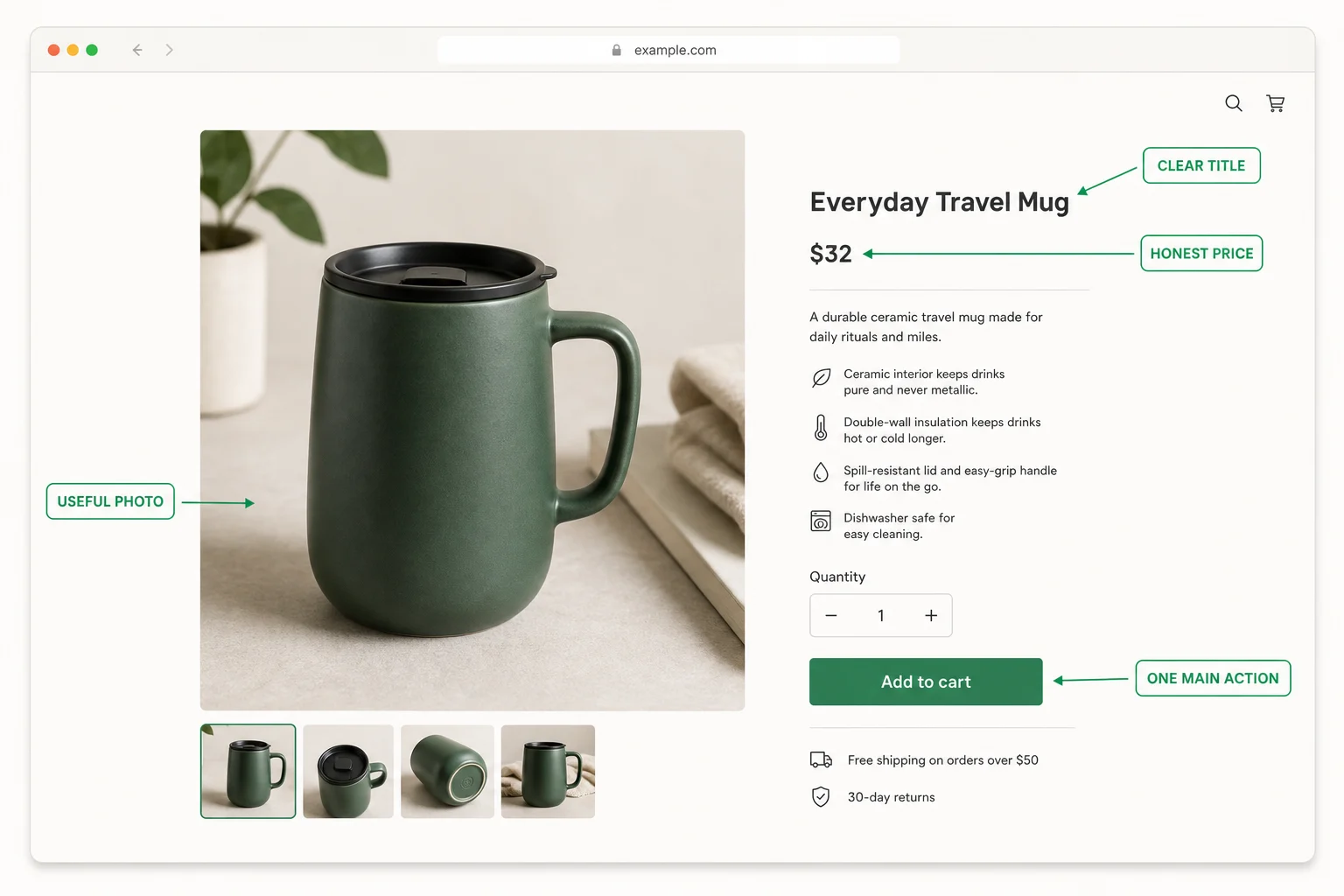
A first product page does not need tricks. It needs a useful image, a clear title, an honest price, and one main action.

Open the trial, choose a clean theme, and use the 7-day plan to keep the first version moving.
Affiliate link — commission at no extra cost to you. Full disclosure.
Free worksheets
Printable templates that sit next to the 7-day plan. No email required.
Done-for-you option · $149 one-off
Theme, one product page, policy pages, payments, and a mobile checkout test, delivered within 5 business days. You own the store. Full refund if work hasn't started. What's included
Secure checkout by Stripe, shown under my business name DopaTools.
Beginner guides
Use these when the checklist is open and you need the matching page, policy copy, or a realistic Day 7 review.
Title, first screen, contents, delivery, and three FAQs for a first item.
Read guideContact, shipping, returns, and privacy before you send the first visitor.
Read guideRealistic outcomes and the five stalls that stop a first-sale week.
Read guideFree launch checklist
The full checklist is free to open instantly. If you want future checklist updates and practical Shopify launch tips, you can optionally join the email list below. No income promises and no need to subscribe to use the checklist.
Your email is stored for future checklist updates and practical launch tips. See the Privacy Policy for details.
Free mini quiz
Answer four questions and get a practical starting path. The result is shown immediately without an email gate.
How this guide works
Get Your First Sale is an independent beginner resource. Recommendations are organised around a complete launch sequence and are updated when the site or checklist changes.
The checklist is visible before any affiliate click.
Every Shopify link is labelled as an affiliate link.
The page does not promise sales, revenue, or a winning product.
You can compare Shopify with simpler selling options before deciding.
Fair comparison
Social messages and marketplaces can validate an idea quickly. Shopify becomes useful when you want products, checkout, customer records, and orders in one commerce-focused system.
Fast for early conversations, but payments, orders, and customer details remain manual.
Useful when demand already exists, although the marketplace controls more of the customer relationship.
A stronger fit when you are ready for a branded store, hosted checkout, product management, and room to grow.
Questions
No. Get Your First Sale is an independent beginner guide. I may earn a commission if you start Shopify through an affiliate link, at no extra cost to you.
No. It gives you a practical sequence, but sales depend on your product, offer, pricing, trust, traffic, and follow-through.
No coding is required for the beginner path. Shopify lets you choose a theme, add products, configure payments, and publish core pages through its interface.
Start with the simplest offer you can explain, fulfil, and test. The quiz on this page gives you a practical starting path based on your situation.
If you already have a product and a few hours this week, open it today. If you still cannot describe one buyer and one offer, do Day 1 of the checklist first, then open the trial on Day 2. You do not need a perfect brand first.
Yes. Paid first-store setup is $149 one-off: theme, one product page, policy pages, payments, and a mobile checkout test, delivered within 5 business days. Book it on the contact page. This is independent from Shopify and separate from the free checklist.
Open your Shopify trial, choose a simple theme, and complete one focused checklist stage each day.
Affiliate link — commission at no extra cost to you. Full disclosure.
Checklist opens free · trial is an affiliate link